Settings and how they look
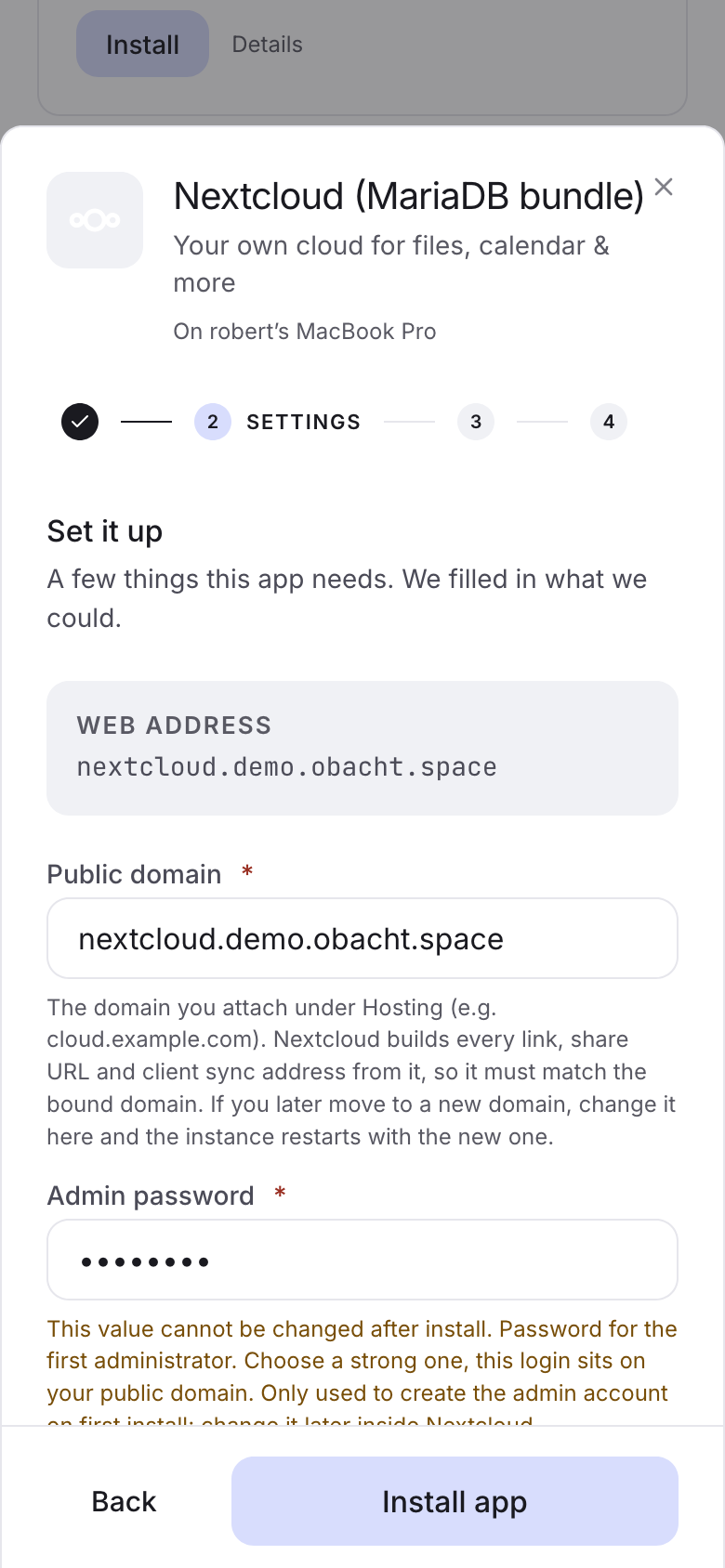
Every entry in spec.configSchema becomes one field in the install sheet, and later in Settings (the Configure dialog) on the app page. One component draws them everywhere, so a field looks the same in the easy sheet, in advanced mode and when someone changes it later.
A field
- key: admin_email          # how you reference it: ${cfg.admin_email}
  label: Admin email        # the label above the input
  type: email
  required: true            # red asterisk, Install stays disabled until filled
  default: ""
  description: Gets the login link for the first account.
key, label and type are required. description is the grey line under the input, the only help text there is, so use it. default is the starting value.
The field types
type | What the user sees | Notes |
|---|---|---|
text | A plain text input. | The fallback for anything without a better type. |
textarea | A multi-line box in monospace, 12 lines, no spell check. | For config snippets and lists. |
number | A number input. | Stored as a number. |
boolean | A switch with "On" or "Off" next to it. | Starts off unless default: true. |
select | A dropdown with "Select…" until something is chosen. | Needs options, see below. |
secret | A masked password input. | For passwords the user chooses. Generated ones belong in secretsSchema. |
email | An email input, placeholder "name@example.com". | |
domain | A text input, placeholder "e.g. app.example.com". On leaving the field it is cut down to a bare lowercase hostname. | Filled in automatically, see below. |
timezone | A searchable list of IANA time zones, "Search… e.g. Europe/Berlin". | Use it instead of a text field with "e.g. Europe/Berlin". |
service_reference | A text input for a URL another app can be reached at, with a fixed hint about reaching it from inside Docker. | Rarely needed. |
All values reach your template as plain strings, numbers or booleans. timezone, email and domain only change the input, so they need no higher minSpecVersion.
There is no inline validation. Required fields block the Install button until they have a value, and that is all. If a value has a format, say so in description.
Dropdowns
- key: region
  label: Region
  type: select
  default: de
  options:
    - { value: de,   label: Germany }
    - { value: dach, label: "Germany, Austria, Switzerland" }
    - { value: eu,   label: Europe }
  optionRequirements:
    de:   { minRamMb: 8192,  minDiskMb: 40000 }
    eu:   { minRamMb: 16384, minDiskMb: 200000 }
optionRequirements (v2.9) is for choices whose size differs a lot. Options the device cannot carry are greyed out with the reason, and if the default does not fit, the sheet picks the first option that does. Every value must be at least spec.compatibility.resources, which is the floor for the smallest option.
The web address is filled in for you
A field with type: domain is filled with the address the user picked in the step before, for example notes.you.obacht.space. That works by type only, not by key name. If the user changes the address again, the field follows, unless they typed over it themselves.
Use it for every app that needs to know its own public URL. Ghost, Nextcloud and WordPress all do. Build the URL in the runtime: url: "https://${cfg.domain}".
Flags
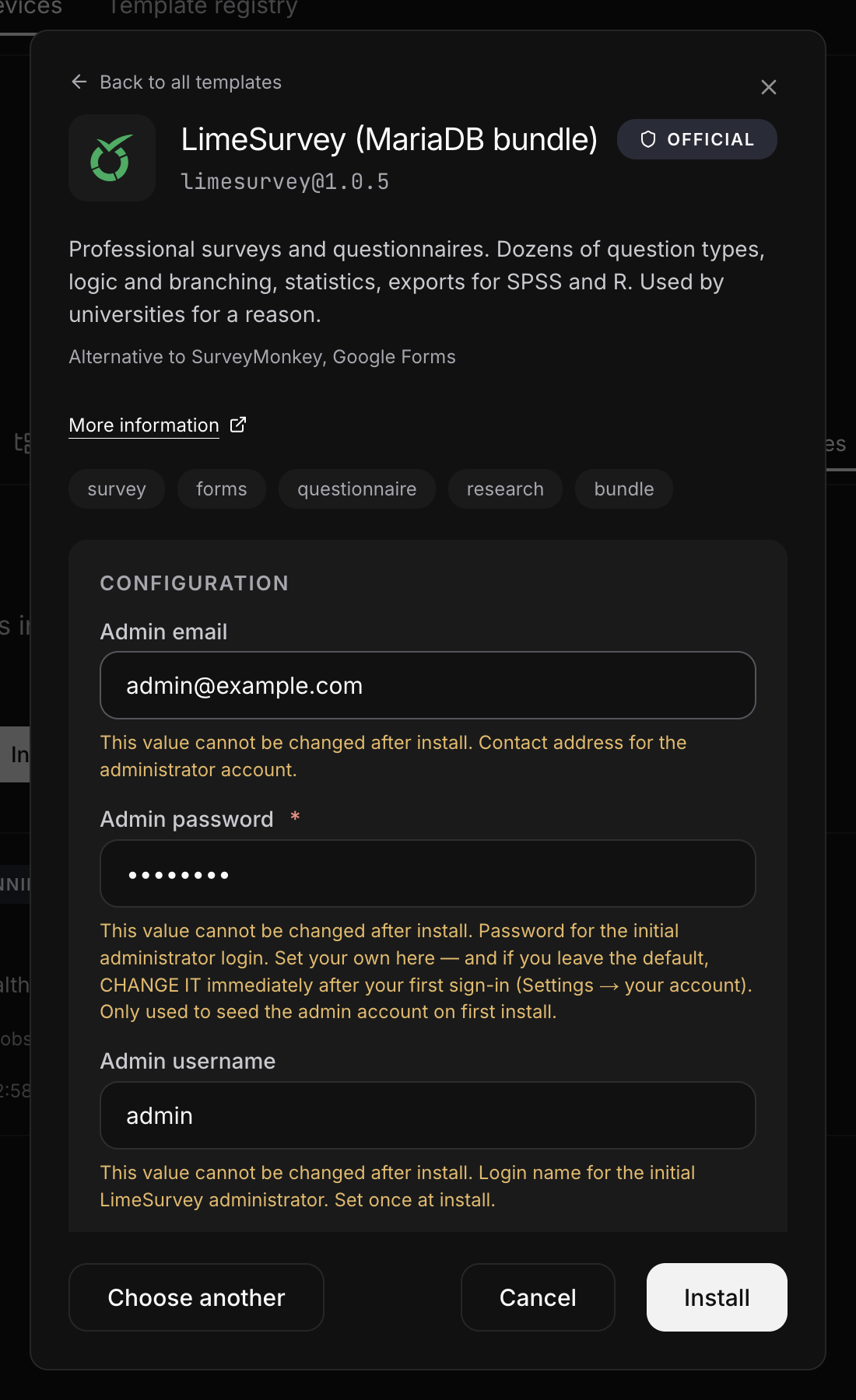
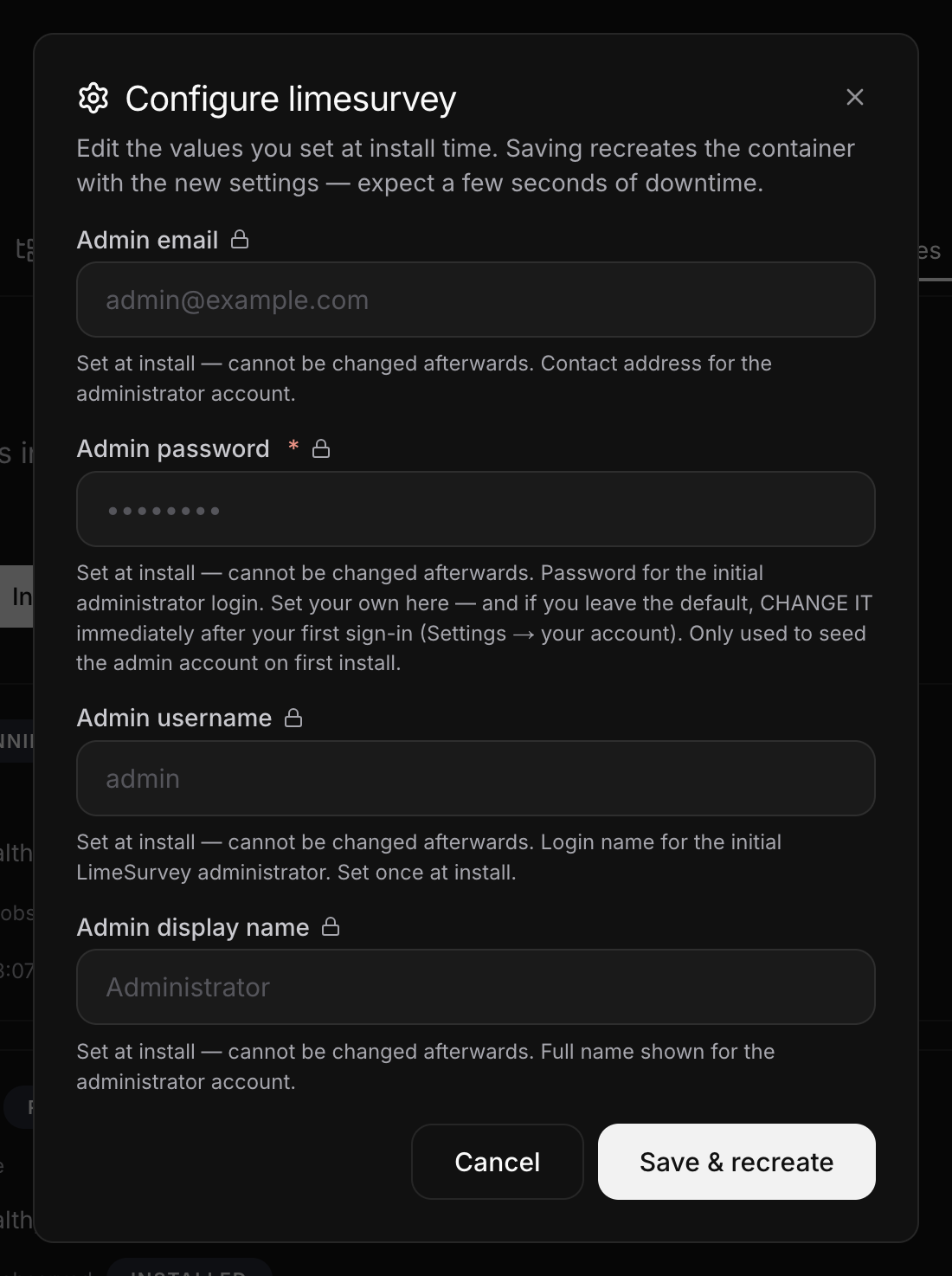
immutable: true
For values that only work on first start, like the admin account a database is seeded with. At install the field says, in orange, "This value cannot be changed after install." Later, in Settings, it is locked, with a lock icon and a note that it was set at install. Needs minSpecVersion: "v2.2".
advanced: true
Hides the field in easy mode behind Advanced options (N). Its default is still used. In advanced mode it shows inline. Only flag fields with a default that works, otherwise an easy-mode install ends up empty. Data paths, ports and tuning values are good candidates.
Secrets in Settings
A secret field is never shown again after install. In Settings it is empty with "leave blank to keep current". Leaving it blank keeps the old value.
What to ask, and what not
Each field is a question to someone who just wants the app to run. A good template asks one or two things, often nothing.
- Hard-code what the user cannot know: internal hostnames, ports, database names.
- Generate passwords the user never types, with
secretsSchema. - Give every field a default that works, and mark the rest
advanced. - Ask for an email or an admin name only when the app really needs it on first start, and then mark it
immutable.
Next: Example: a single container.