Update, restart, remove
Four housekeeping jobs on a Raspberry Pi or Linux PC, all from the advanced view of the device. On a Mac you do these in the Mac app.
Update the agent
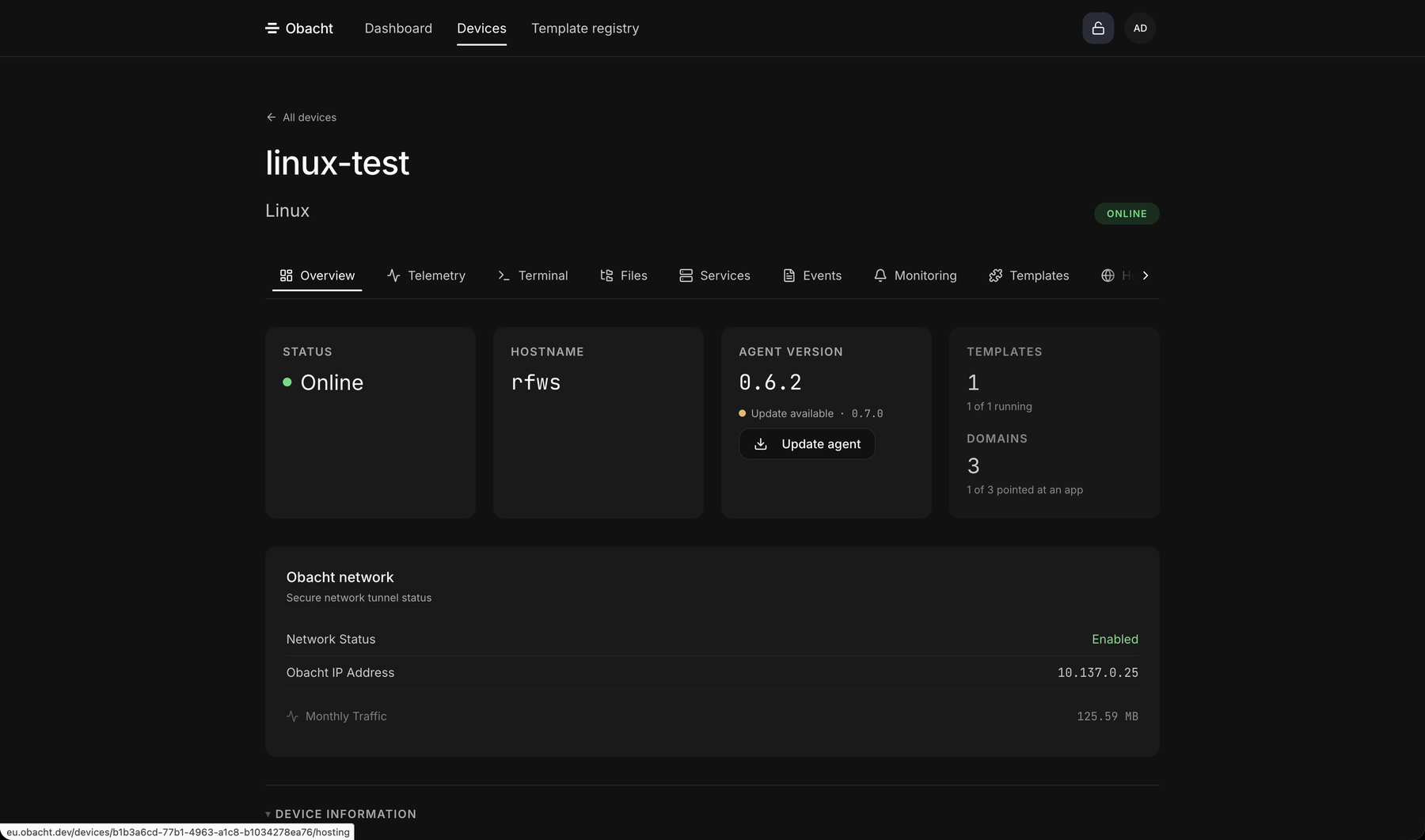
On the Overview tab the Agent Version tile has an Update agent button. Click it and confirm with your passphrase. You see "Agent updated: Systemd unit restarted. Version refreshes on next heartbeat."
Your apps keep running. The version number on the tile changes after the device reports in again, usually within a minute.
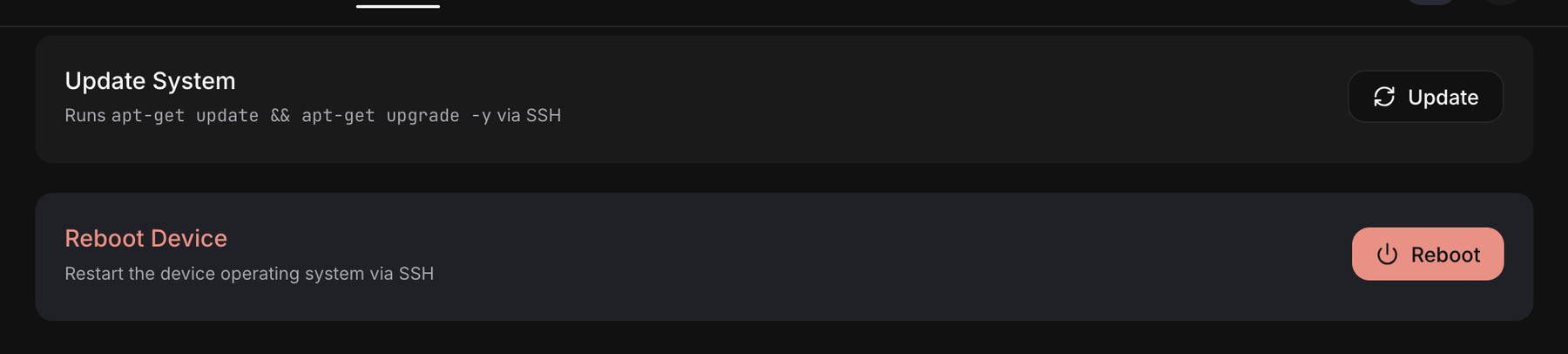
Reboot and system update
Both live in the Settings tab and ask for confirmation:
- Reboot restarts the operating system. Apps come back on their own after the boot.
- System update runs the operating system's updates (
apt-get update && upgrade). Give it a few minutes on a Pi.
Remove a device
On the easy device page click Remove this device. In the advanced view, delete it from the Devices table.
The dialog lists what goes: install tokens, network access, the connection to Obacht, telemetry and events. It also says how many web addresses will be released. Released addresses are claimable again, by you or by anyone.
The device itself is not wiped. Apps and their data stay on the disk, you just cannot manage them from Obacht any more. To use the hardware again: Reuse a device or start over.
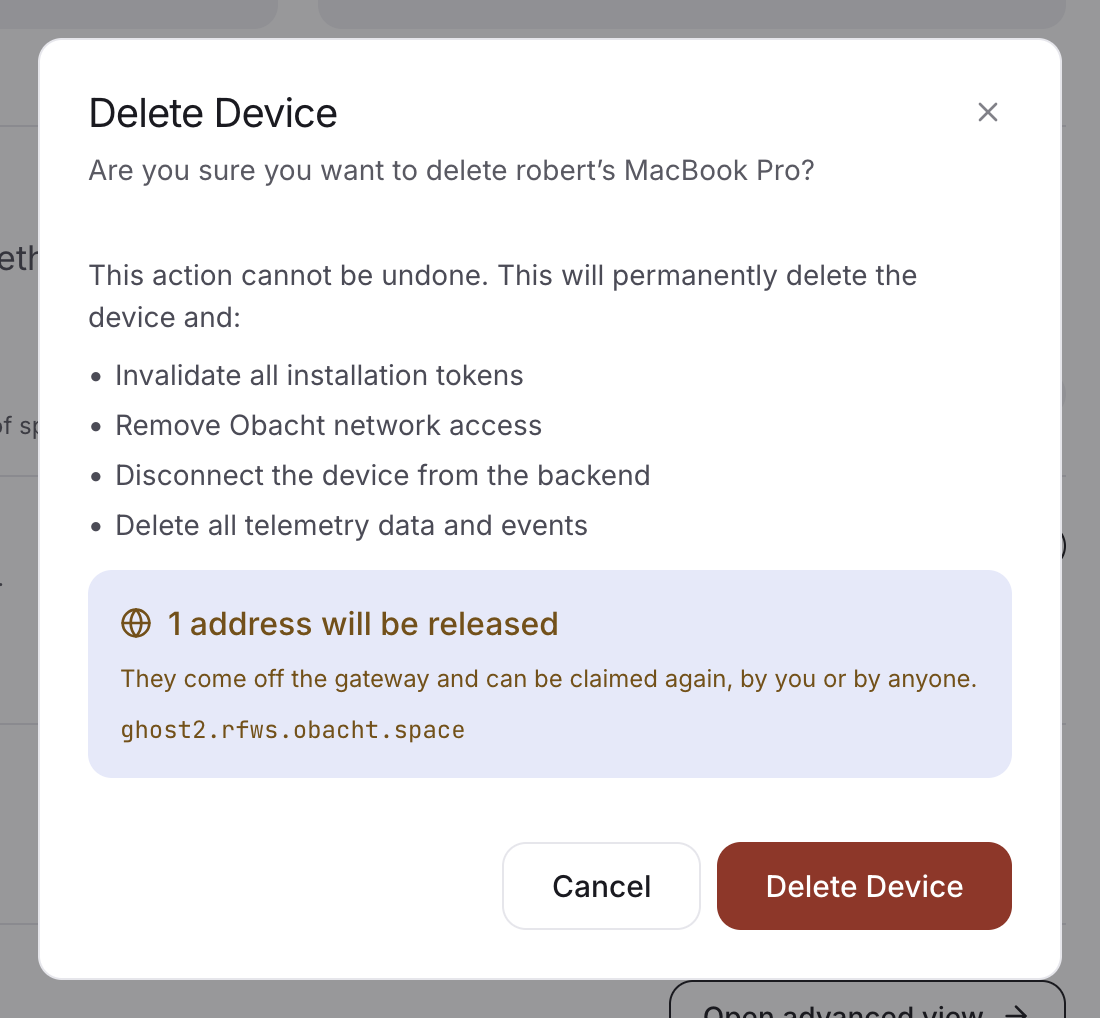
Removing a device releases its web addresses. Anyone can claim them afterwards.
On a Mac
The agent updates with the Mac app. Restarts and removal are in the app: Restart everything under Settings, and Sign out and remove this Mac…. See Mac with the Obacht app.